CPU automation and optimization tool
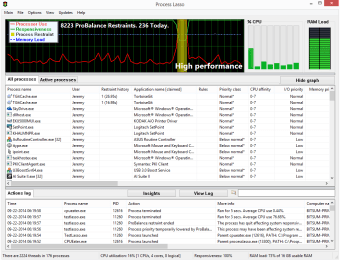
Process Lasso is a free utility program for PC developed by Bitsum. It is a CPU management tool that allows users to optimize their processors to achieve optimal performance. It provides detailed CPU usage statistics for them to gain insights into how their computer is performing and identify possible bottlenecks and issues.
Top Recommended Alternative

Comparable to another tool called Quick CPU, Process Lasso makes it easy to optimize CPUs with just a few steps. It also boasts automation functions for certain actions and processes. There’s a pro version available via multiple purchase options to unlock additional advanced options if they need more.
Optimized processing algorithms
In a nutshell, Process Lasso is a utility that helps you monitor and manage your CPU to ensure that it runs smoothly across various scenarios. It does this through the use of Power Plans, which lets you create custom profiles you can quickly switch between depending on the processing load and power you need, or when specific apps and games are running.
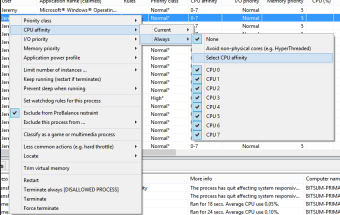
You can also use Algorithms, which are a set of pre-configured performance profiles built in with Process Lasso, which is handy if you don’t want to bother with too much tinkering. It does offer pretty granular control over various CPU parameters, like priority, affinity, and more. You can even do the same for your RAM, so you don’t run out of memory when you need it.
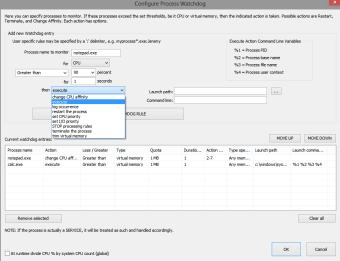
As mentioned earlier, there are automation functions built into the program, wherein it will automatically adapt to different processing loads as dictated by its algorithms. Alternatively, you manually set rules for it to follow if you have a specific use case in mind. Given all this, it should go without saying, but there’s a steep learning curve to overcome coming into this tool.
Great for power users
In conclusion, if you’re a PC power user and are looking for a way to have more granular control over how your CPU handles processing loads and tasks, Process Lasso is an impressive tool you can check out. It offers quite a robust and extensive experience that lets you pretty much tweak and adjust everything. Check it out now and see for yourself.